
Best Call Management Apps for Android (2026 Comparison) | MemoCallPro

Best call management app for Android
Your smartphone is the command center of your business. If you rely on your phone for sales, real estate, consulting, or services, using the default Android dialer is likely costing you money and causing you to miss crucial opportunities. Relying solely on your memory to track conversations leads to forgotten details and lost clients. To solve this problem, you need a robust, professional call management app.
But with hundreds of tools on the market, which one is truly the best call management app for android? Should you stick with a simple enhanced dialer, upgrade to a complex mobile CRM, pay for an expensive cloud VoIP system, or use a specialized productivity app tailored for independent professionals like MemoCallPro?
In this comprehensive 2026 comparison, we evaluate the top options available on the Google Play Store to help you find the best phone call management solution tailored exactly to your daily workflow.
Key Features of a Call Management App
The ultimate goal of the best call manager app should be to actively reduce your mental load. When evaluating solutions, here are the key features that matter the most for independent professionals:
- In-Call Notes: A reliable call note system is essential. It gives you the ability to write down a client’s request, measurements, or order details while you are still actively on the phone, seamlessly linked to their unique contact profile.
- Live Caller Identification: Seeing past interactions, the contents of your last notes, and the status of a lead instantly before you say “hello.”
- Integrated Reminders: A smart system that prompts you to call back a warm lead at the exact right time, without you having to manage a separate to-do list app.
- Availability Management: Defining when you are reachable so your call management app can automatically handle client expectations outside of your business hours via SMS.
- Smart Search & Tracking: Quickly finding any detail across your entire call history. Basic call tracking features help you measure how often you communicate with key clients.
Choosing the Best Phone Call Management Tool
Selecting the right call management app depends entirely on your specific situation and business environment.
- By Organization: Are you a solo independent professional, a freelancer, or part of a 50-person telecalling team? Solo workers need speed, simplicity, and local context on their device, while large teams absolutely require centralized cloud reporting.
- By Equipment: Do you want to use your existing mobile number and physical SIM card, or do you need to set up a brand new virtual switchboard?
- By Budget: Are you willing to pay $50 to $100 per month per seat for an enterprise CRM, or do you prefer a lightweight, highly affordable phone call management solution tailored for independent workers?
2026 Call Management App Comparison
We have thoroughly tested and broken down the 7 most popular call management apps on the market. For each application, we answer the crucial practical questions to help you make an informed decision.
1. MemoCallPro

- Purpose: Provides instant business context and powerful note-taking capabilities directly on your smartphone screen during live phone calls.
- How calls work: It uses your standard SIM card and existing phone network. No virtual number or complicated VoIP setup is required.
- Customer context: It displays a smart, non-intrusive popup during both incoming and outgoing calls, showing you the contact’s history, previous notes, and current status immediately.
- Notes and follow-ups: You can type notes live during the conversation. Right after hanging up, you can instantly set a reminder or schedule a follow-up appointment in one click.
- Setup and pricing: Setup takes under two minutes with no mandatory cloud account creation. The Basic version is a one-time fee of €3.79 (lifetime). The Pro version is highly affordable at €2.79/month.
- Fit for an independent professional: It is the ideal call management app for freelancers, realtors, artisans, and consultants who need powerful CRM-like features without the heavy infrastructure, complexity, and extreme cost of corporate software.
2. iSung Call Note

- Purpose: A simple, lightweight digital notebook designed specifically to capture ideas and manage basic post-call notes with various visual themes.
- How calls work: It relies entirely on your native Android dialer and SIM card.
- Customer context: Provides basic note organization but lacks a robust, always-on live caller popup for instant business context when the phone rings.
- Notes and follow-ups: Allows manual entry of notes post-call, but lacks automated reminders or deep calendar integration to structure your workflow.
- Setup and pricing: Free to download, but it is ad-supported which can be distracting in a business setting.
- Fit for an independent professional: Best suited for casual or personal use rather than rigorous, daily business phone call management.
3. Drupe

- Purpose: Focuses heavily on contact accessibility and communication speed (such as swiping a contact to instantly trigger an action like WhatsApp or SMS).
- How calls work: Acts as a complete dialer replacement using your existing SIM card.
- Customer context: Fantastic for finding people quickly, but does not focus on displaying past business notes or deep CRM data during a live call.
- Notes and follow-ups: Geared toward outreach speed and multi-channel communication rather than capturing detailed business context mid-conversation.
- Setup and pricing: Freemium model. A lifetime in-app purchase unlocks premium features (around €10).
- Fit for an independent professional: Good for users who heavily use multiple messaging apps (WhatsApp, SMS, Telegram) but lacks the depth required for professional business note-taking and lead tracking.
4. Aircall
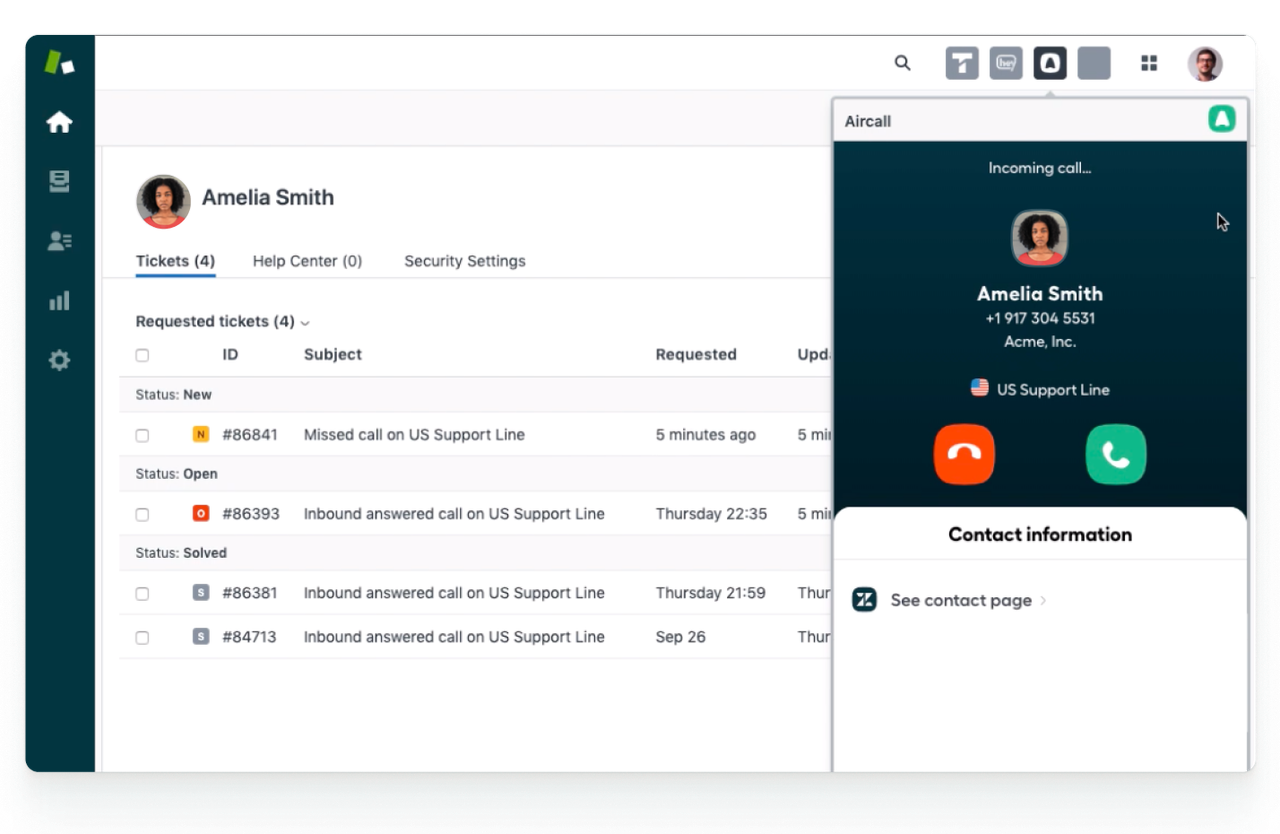
- Purpose: A comprehensive cloud-based call center software designed specifically for modern support and sales teams working from desktop computers.
- How calls work: 100% VoIP (Voice over IP). It requires a solid, stable internet connection and assigns you a virtual phone number. It does not use your standard SIM minutes at all.
- Customer context: Offers excellent team visibility. Any agent in the company can see the history of a caller across the entire organization.
- Notes and follow-ups: Deeply integrates with major desktop CRMs (like Salesforce or Zendesk) to log calls automatically and centralize team data.
- Setup and pricing: Requires professional onboarding. Pricing starts at $30/user/month with a strict minimum requirement of 3 users (meaning the real entry cost is $90/month minimum).
- Fit for an independent professional: Usually overkill and vastly too expensive for a solo worker relying on their personal mobile phone.
5. RingCentral
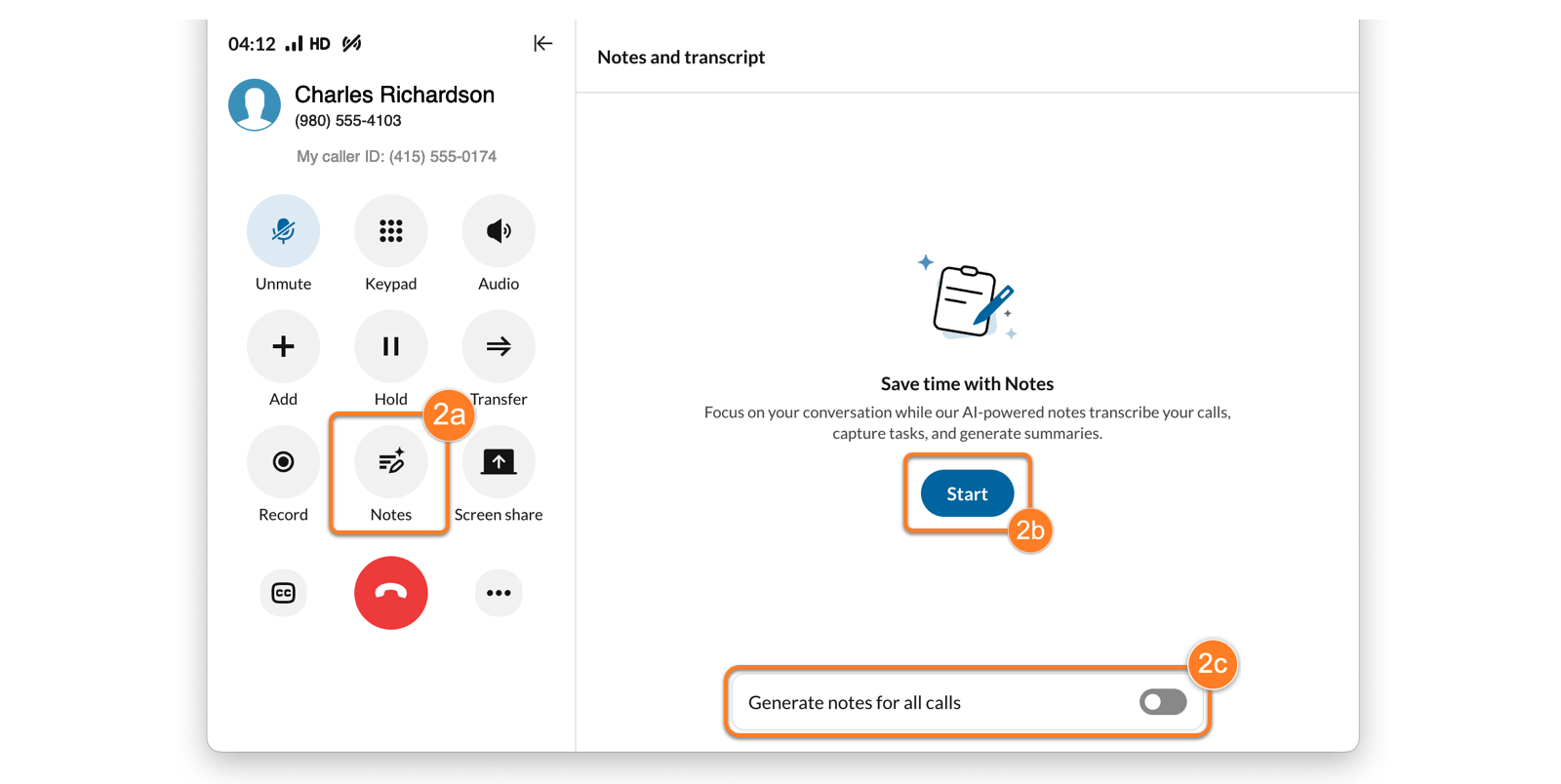
- Purpose: An enterprise-grade communication hub that bundles phone calls, video meetings, and internal team messaging into one massive platform.
- How calls work: Completely VoIP-based cloud telephony requiring strong internet access.
- Customer context: Features comprehensive caller routing, IVR menus, and team collaboration features.
- Notes and follow-ups: Heavy focus on management analytics, call recording, and team hand-offs rather than individual on-the-go productivity.
- Setup and pricing: Core plans start at $20/user/month (billed annually), but advanced features are sold as expensive add-ons.
- Fit for an independent professional: Geared primarily towards larger corporations looking to unify their internal communications across multiple departments.
6. Runo

- Purpose: Specializes in mobile CRM functions and strict outbound call tracking for dedicated telecalling teams.
- How calls work: Integrates heavily with outbound dialing metrics to accurately track agent performance and call duration.
- Customer context: Provides predefined scripts and outbound data lists directly to telecallers.
- Notes and follow-ups: Employs strict reporting mechanisms to ensure agents are rigorously logging their outcomes and following the corporate sales process.
- Setup and pricing: Starting around $5/user/month, scaling with team size and feature needs.
- Fit for an independent professional: Functions far more as a strict management and surveillance tracking tool for managers rather than a fluid, personal productivity aide for an independent professional.
7. HubSpot

- Purpose: A massive, all-in-one desktop inbound marketing and sales CRM that includes a mobile companion app.
- How calls work: Can log calls made from your mobile device, but live caller ID functionality can be delayed by cloud syncing and internet speed.
- Customer context: Unmatched data depth if you are sitting at your computer, but the mobile experience is heavy, complex, and sometimes slow to load on the go.
- Notes and follow-ups: Every action is meticulously synced to a massive company-wide database offering extensive reporting capabilities.
- Setup and pricing: A free tier is available with limits. The Sales Hub Professional tier starts at a hefty $100/seat/month.
- Fit for an independent professional: Excellent if you spend 80% of your time working at a desk, but the mobile app alone is too cumbersome for fast-paced, on-the-go phone call management.
Deep Dive: The Ultimate Call Management App in Practice
While comparing feature lists is helpful, understanding exactly how a call management app functions in real-world, high-stress conditions is what truly matters. Here is exactly how MemoCallPro elegantly integrates into your daily professional life, offering a unique edge in both call tracking and relationship building.
Using your SIM and Existing Number
Unlike heavy VoIP solutions, MemoCallPro does not force you to change your infrastructure. It accompanies your usual phone calls perfectly. You keep your existing mobile number, your current carrier plan, and your native SIM card. It simply adds a powerful layer of intelligence over your standard cellular network, meaning you never have to ask clients to call a new number.
Incoming and Outgoing Calls
The experience perfectly adapts to your specific situation:
- Incoming Calls: As your phone rings, a non-intrusive popup immediately appears on your screen displaying the caller’s name, their company, and the exact text of the last note you took. You have full context before you even answer the call.
- Outgoing Calls: When you dial out to follow up with a client, the same smart interface is instantly available, allowing you to read past interactions and take new live notes while the phone is ringing and during the actual conversation.
Functioning Without Internet
Many modern mobile CRMs fail completely if you enter a zone with poor 4G coverage. Because MemoCallPro uses a brilliant “Local First” architecture, it meticulously distinguishes between local data and cloud needs. Your contacts, notes, and the live caller ID popup work flawlessly offline. Only secondary features like cloud backups or calendar syncing require an active internet connection.
Actions After Hanging Up
The true power of phone call management lies in the workflow immediately after the call ends. With MemoCallPro, the post-call process is incredibly structured and efficient:
- Note: Finalize the call note you typed while talking to ensure all details are safely stored.
- Reminder: Tap once to set a precise reminder to call them back next Tuesday at 2 PM.
- Appointment: Push the interaction directly into your agenda. This continuous path (Note → Reminder → Appointment) ensures absolutely no lead or client request is ever forgotten.
Permissions and Default Phone App
To provide the live popup experience on modern devices, MemoCallPro simply requires the Android permission to “Display over other apps” and access to your call logs to link your notes to the correct phone numbers. It operates alongside your device natively—meaning you do not have to replace your default Phone app if you don’t want to. It perfectly respects your existing Android environment.
Device Change or Loss
Your business data is precious. MemoCallPro includes a highly secure automated backup system. If you lose or change your smartphone, you can easily restore your entire database—including all historical notes and rich client contexts—onto your new Android device without missing a beat, subject to the limits of your backup frequency settings.
Free vs. Paid Versions
MemoCallPro is incredibly transparent about its professional offerings:
- Basic Version: Gives you lifetime access to the core in-call popup, note-taking, and call log management for a small one-time payment.
- Pro Version: Designed specifically for power users, it unlocks advanced calendar sync, the smart planning assistant, automated SMS confirmations, and secure backups for a minimal monthly fee.
What is a Call Management App?
A call management app goes far beyond being just a simple digital phone book. It is a dedicated professional system designed to organize, track, and optimize every one of your daily phone interactions.
While a standard smartphone dialer just connects a call, a true call manager app provides vital context. It allows you to anticipate incoming calls by displaying exactly who is calling and why they are calling before you even pick up. It streamlines your outgoing calls with intelligently organized lists and smart reminders. Furthermore, an excellent call management app keeps a detailed, easily searchable history of every interaction and ensures seamless CRM follow-up directly from your smartphone, transforming your device into a powerful business assistant.
The Different Types of Phone Call Management Apps
When searching for the perfect phone call management software, you will encounter three main categories of applications. Understanding their fundamental differences is key to making the right choice for your business:
- Mobile Overlay Apps (The Smart Dialers): These applications, like MemoCallPro, work in perfect tandem with your existing SIM card and standard phone number. They act as an intelligent layer on top of your Android operating system, displaying popups and notes without replacing your carrier network. They are fast, respect your data privacy, and do not require constant internet access for their core functions.
- Mobile CRMs (Customer Relationship Management): These are mobile extensions of massive desktop databases (such as Salesforce or HubSpot). They offer deep reporting, team tracking, and marketing tools. However, they often struggle with live caller ID features due to cloud synchronization delays and can be cumbersome to use on the go.
- Cloud Telephony (VoIP): Solutions like Aircall or RingCentral provide you with a virtual phone number over the internet. They are explicitly designed for customer support centers and large teams sharing a single business line. They completely bypass your SIM card and require a robust 4G/5G or Wi-Fi connection to function reliably.
Frequently Asked Questions About Call Manager Apps
Does a call management app record my conversations? Most dedicated overlay apps like MemoCallPro do not automatically record audio. They focus specifically on manual note-taking and context display to ensure 100% privacy and strict legal compliance, which is especially important for doctors, lawyers, and consultants.
Will this slow down my phone when it rings? No. Because MemoCallPro accesses a highly optimized local database on your device, the caller ID and notes popup appears instantly. It does not suffer from the lag common in cloud-based CRMs that must query a remote server over a cellular connection before displaying information.
Can I use a call manager app alongside my desktop CRM? Yes. While a call manager app like MemoCallPro acts as a lightweight Mobile CRM on its own, you can easily export your notes or use it as your primary on-the-go tool while maintaining a separate desktop system for your back-office accounting and heavy corporate reporting.
Is it difficult to migrate my existing contacts to a new app? Not at all. MemoCallPro allows you to perform a massive bulk import of your existing Android contacts in a matter of seconds, immediately upgrading your standard address book into a professional, searchable client database.
If you are a professional who wants a Call Management App that respects your time, speeds up your workflow, and provides immediate context without the exorbitant cost of VoIP—dedicated overlay apps are clearly the superior choice.