
Best Apps for Managing Networking Contacts (2026) | MemoCallPro
Returning from a conference, trade show, or networking summit with a pocket full of paper business cards, LinkedIn QR codes, and phone numbers is exciting. But what happens 48 hours later?
In most cases, the context fades: you forget which conversation belonged to which card, follow-ups slip through the cracks, and valuable business opportunities turn cold. Finding the best app for post-event contacts is the difference between collecting dead leads and building profitable relationships.
Whether you need sleek digital business cards with custom branding, an enterprise exhibition lead capture system, or a powerhouse tool for daily professional usage and phone-to-computer management, here is the definitive comparison of the top apps for post-event contacts in 2026.
Quick Answer: Top Apps for Post-Event Contacts
If you need a quick recommendation based on your specific workflow:
- MemoCallPro: Best for professional daily usage & PC-to-phone management. Scans physical business cards into local contacts, connects your phone to your computer via a local Wi-Fi PC Web Server to type detailed notes with a physical keyboard, displays live floating call note overlays, tags events (#Expo2026), and sets follow-up alarms. 100% offline-first privacy at just €2.80 / month.
- Blinq: Best for visual card customization & aesthetic presentation. The market leader for designing beautiful digital business cards with custom colors, logos, and layouts (~€8 / month).
- Popl: Best for NFC digital card exchanges & sales teams. Great for tapping smartphones to swap digital profiles and syncing new leads directly into centralized company CRM pipelines.
- Whova: Best for multi-day conference attendees. Connects you with official conference directories, attendee message boards, and session networking groups before, during, and right after large events.
- Momencio: Best for corporate trade show exhibitors. Built for enterprise booth teams who need badge scanning, instant digital collateral distribution, and automated post-event marketing sequences.
The 4 Post-Event Bottlenecks Most Apps Ignore
Most contact apps fail after live events because they treat contact collection as the finish line. In reality, collection is only step one. Real networking ROI requires overcoming four critical hurdles:
- The Context Trap: Saving “John Doe” with a phone number is useless if you can’t remember three days later that John is expanding his clinic and needed a quote by Thursday.
- Typing Fatigue on Mobile: Typing comprehensive meeting notes, project requirements, and action items on a cramped smartphone touchscreen after meeting 20 people is exhausting.
- The Follow-up Amnesia: Studies show that follow-ups made within 48 to 72 hours have a 4x higher conversion rate. Without a dedicated reminder alarm, follow-ups are delayed and lost.
- Cloud Privacy & Subscription Lock-In: Many digital card apps charge hefty monthly fees (€8 to €15+/month) simply to store your contacts on their remote servers, creating recurring costs and privacy risks.
Detailed Review of the Top 5 Apps for Post-Event Contacts
1. MemoCallPro — Best for Professional Daily Usage & PC/Phone Management
MemoCallPro is built specifically for entrepreneurs, independent consultants, sales professionals, and mobile business owners who want to turn event handshakes into closed deals with maximum efficiency and zero friction.
Key Features for Post-Event Networking:
- PC Web Server (Computer & Phone Management): Typing detailed notes on a smartphone screen after a busy expo is slow and frustrating. MemoCallPro turns your phone into a secure local web server on your local Wi-Fi. Simply open any web browser on your PC or Mac to view your contacts, organize your event agenda, and type rich conversation notes using your full physical computer keyboard—with zero data passing through external cloud servers.
- Instant Business Card Scanner (OCR): Snap a photo of any physical business card at the end of a conversation. MemoCallPro instantly extracts the contact’s name, company, email, phone number, and address, converting it into a clean, local contact.
- Local Professional Directory (Zero Cloud): Your contacts are saved locally on your Android device. No external servers have access to your client list, ensuring 100% GDPR compliance and confidential networking.
- Event Tags & Smart Filtering: Tag every contact with custom labels such as
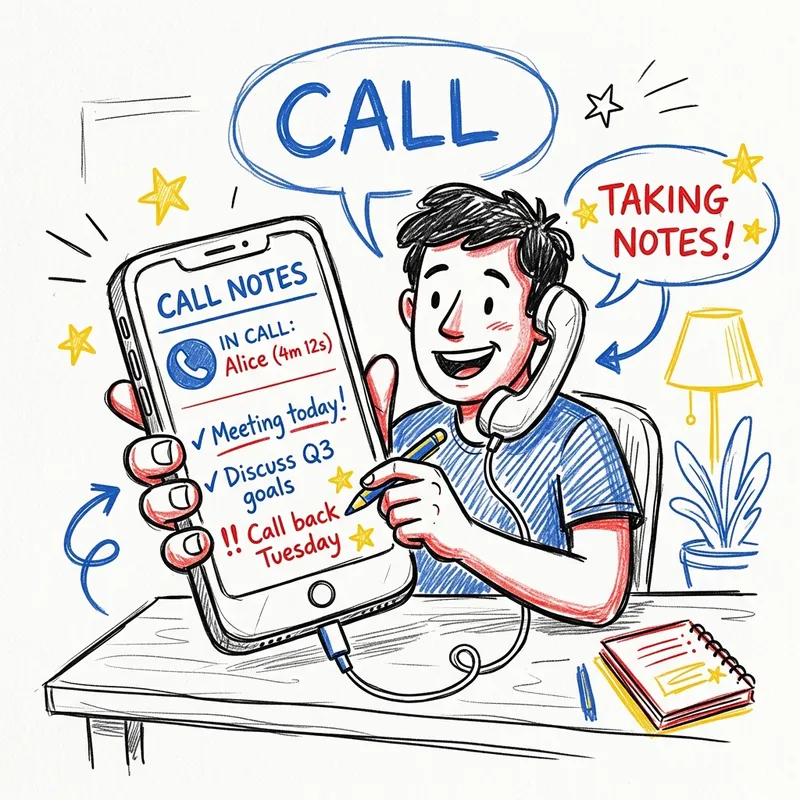
#WebSummit2026,#Prospect,#Investor, or#Partner. When you return to your desk, filter by tag to review everyone you met in one click. - Call Notes & Floating Caller Overlay: When you call or receive a call from a contact, a lightweight overlay bubble appears on your screen displaying your notes (e.g., “Met at Paris Expo, loves golf, interested in our software trial”). You have complete context before saying “Hello.”
- Follow-Up Reminders & Alarms: Set a reminder to call or message a prospect 48 hours after the event. The app rings a dedicated alarm and pulls up the contact card instantly.
Pricing: Ultra-affordable at €2.80 / month (or one-time access). No expensive per-user enterprise lock-in.
2. Blinq — Best for Digital Card Customization & Visual Appearance
Blinq has earned a strong reputation among design-conscious professionals who want to replace paper business cards with a visually striking digital profile.
Key Features:
- Top-Tier Card Customization & Aesthetics: Blinq is arguably the best app for personalizing the visual appearance of your digital card. You can customize brand color palettes, add company logos, adjust typography, insert background banners, and format interactive social links to match your visual identity.
- Dynamic QR Codes & Apple Watch Integration: Share your digital business card via QR code, smartphone widget, or Apple Watch so attendees can scan your details in seconds without downloading the app.
- Paper Card Scanner: Includes an OCR camera scanner to digitize paper cards received from others.
- Location & Date Logging: Automatically records where and when you met a contact, giving you a quick refresher when scrolling through your post-event list.
Where Blinq Falls Short for In-Depth Professional Workflows:
While Blinq is fantastic for handing out your card in style, it is not optimized for post-event execution:
- Higher Price Point: At approximately €8 / month (billed annually or monthly for Premium features), it is significantly more expensive than practical trackers like MemoCallPro (€2.80/month).
- No PC Desktop Web Server: You cannot connect your phone to your PC over local Wi-Fi to type extensive notes using a physical keyboard.
- No Calling Context Overlay: It does not display a floating widget on your screen with past notes when a prospect calls you back.
3. Popl — Best for NFC Hardware & Team Lead Syncing
Popl is widely recognized for its NFC-enabled hardware (smart tags, phone cards, and key fobs) paired with a robust digital business card ecosystem.
Key Features:
- Tap-to-Share NFC: Tap your Popl card to another person’s smartphone to instantly share your digital landing page with contact info, social links, and portfolio files.
- Team Lead Management: Allows corporate sales teams to standardize digital business cards across dozens of reps.
- CRM Integration: Syncs captured leads directly into Salesforce, HubSpot, or Zoho CRM.
Where it falls short: Popl is geared toward cloud-centric sales teams. If you are an independent professional looking for a lightweight, private, phone-based contact manager with call reminders and PC keyboard management, Popl’s multi-tier subscription and CRM focus may be excessive.
Pricing: Free basic tier; Pro starts around $7.99/month; Team plans scale up to $15+/user/month.
4. Whova — Best for Multi-Day Conference Ecosystems
If you are attending or organizing an official event powered by Whova, it serves as an all-in-one event hub.
Key Features:
- In-App Attendee Directory: Browse the list of all registered attendees, speakers, and sponsors before arriving at the venue.
- Virtual Business Card Swapping: Swap digital cards within the app with other conference participants.
- Community Boards: Join discussion threads, organize side meetups, and keep up with post-event conference recaps.
Where it falls short: Whova is an event-specific container. Once the conference concludes, communication within the app drops off dramatically. It does not replace your daily mobile contact book, offer PC desktop typing integration, or provide follow-up call reminder alarms.
Pricing: Free for attendees when the event organizer purchases a Whova event license.
5. Momencio — Best for Corporate Trade Show Exhibitors
Momencio is an enterprise-grade lead retrieval and event engagement platform designed for exhibition booth staff and marketing directors.
Key Features:
- Badge & Business Card Capture: Scans event attendee badges and physical cards at high speed.
- Instant Digital Collateral Distribution: Sends personalized digital microsites with brochures, whitepapers, and videos to booth visitors while they are standing in front of you.
- Automated Engagement Tracking: Notifies reps when a prospect opens an asset after the event.
Where it falls short: Momencio is strictly an enterprise B2B exhibition platform with enterprise pricing to match. It is not intended for individual networking or solo professional use.
Pricing: Custom enterprise quotes (typically thousands of dollars per exhibition).
Comparison Table: Best Apps for Post-Event Contacts
| Feature / Criteria | MemoCallPro | Blinq | Popl | Whova | Momencio |
|---|---|---|---|---|---|
| Primary Strength | Professional daily usage & PC/Phone management | Visual card customization & aesthetics | NFC team card exchanges & CRM sync | Multi-day conference community boards | Enterprise exhibition booths & lead capture |
| Starting Price | €2.80 / month | ~€8 / month | ~$7.99 / month | Free for attendees | Enterprise quote |
| PC / Desktop Management | Yes (Built-in Local Wi-Fi Web Server) | Cloud web dashboard only | Cloud web dashboard only | Web portal (event only) | Enterprise web console |
| Type Notes via PC Keyboard | Yes (Fast local typing on computer) | No (Cloud interface only) | No (CRM only) | No | No |
| Card Design Customization | Clean professional contact cards | Exceptional (Colors, logos, templates) | Good (Branded profiles) | Standard profile layout | Custom branded microsite |
| Paper Card Scanner (OCR) | Yes (High accuracy to local contacts) | Yes (Built-in) | Yes (Pro tier) | No (In-app swap) | Yes (Badges + cards) |
| Follow-Up Alarms & Reminders | Yes (Scheduled alarms with notes) | Basic calendar link | CRM task triggers | No | Automated email triggers |
| Live Call Notes Overlay | Yes (Floating bubble on call screen) | No | No | No | No |
| Data Privacy & Storage | 100% Local / Zero Cloud | Cloud-hosted | Cloud-hosted | Cloud platform | Enterprise cloud |
The 72-Hour Post-Event Follow-Up Routine
Having the right tool is only half the battle. To maximize your return on networking, use this proven 3-step post-event routine:
[ Step 1: Scan & Digitize ] ──▶ [ Step 2: PC Sync & Context Notes ] ──▶ [ Step 3: Schedule the Alarm ]
Snap paper card into OCR         Connect PC via local Wi-Fi Web Server    Set 48-72h follow-up call
Save to local phone directory    Type rich notes with computer keyboard   Live overlay assists your call
1. Digitize Within 2 Hours of Leaving the Event
Do not let business cards sit in your wallet or briefcase. Use MemoCallPro to scan each card immediately after returning to your hotel room or office. Let OCR handle the typing so names, titles, and phone numbers are captured without typos.
2. Connect Your PC & Type In-Depth Notes (The PC Web Server Advantage)
Typing dozens of detailed conversation summaries on a mobile keypad is tedious. Instead, launch MemoCallPro’s PC Web Server:
- Open your browser on your laptop or desktop.
- Access your contacts securely over your local Wi-Fi.
- Use your full physical keyboard to type extensive notes: pain points, project timelines, personal hobbies, and agreed next steps.
- Apply event tags (
#LondonFintech2026,#HotLead) in seconds.
3. Set a Concrete Follow-Up Reminder (The 48-Hour Golden Window)
Set a follow-up alarm for 2 to 3 days after the event. When your phone alerts you, tap to call. With MemoCallPro’s floating call overlay, your custom notes appear directly on your screen as the phone rings—allowing you to open the conversation with perfect memory:
“Hi David! It was great chatting about your clinic’s expansion at the Paris Expo on Tuesday. How did that marathon training go this weekend?”
This level of attentiveness immediately differentiates you from 95% of other attendees who send generic LinkedIn requests.
Which App Should You Choose?
- Choose MemoCallPro (€2.80/month) if you want the best app for serious professional daily usage: you want to scan paper business cards into local contacts, type rich conversation notes from your computer with a physical keyboard (PC Web Server), get floating caller notes during calls, and set automated follow-up reminders with 100% offline privacy.
- Choose Blinq (~€8/month) if your #1 priority is the visual appearance, styling, and aesthetic customization of your personal digital business card (colors, logos, layout templates).
- Choose Popl if you need NFC hardware accessories (tags, smart cards) for a corporate sales team that requires automatic syncing into Salesforce or HubSpot.
- Choose Whova if your event organizer provides an official Whova app and you want to engage in conference community discussions and attendee chats.
- Choose Momencio if you manage a 10-person trade show exhibition booth and require enterprise badge scanning with instant automated brochure emailing.
Ready to take control of your post-event contacts? Download MemoCallPro on Google Play and turn every business card into an organized, actionable client relationship.